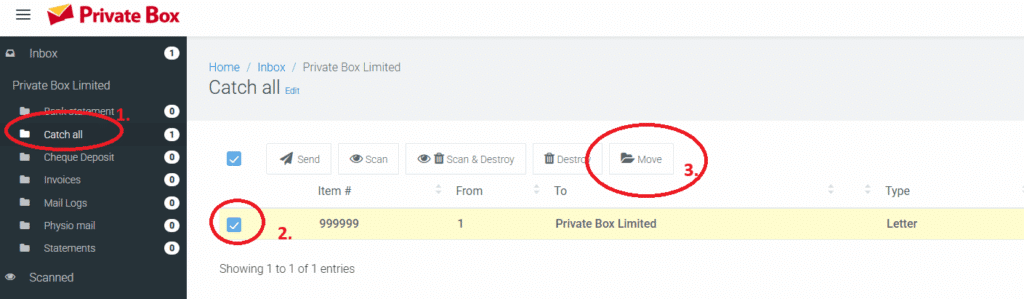
You can move the folder where your mail is stored. Folders can have different rules associated with them, helping you sort mail in a way that is most suitable for you. For example, you might have a folder called “Invoices” where you store all invoices for the future, etc.
- To move mail from one folder to another, you must go to the “folder view” by clicking on the folder in the mail box. This is on the left-hand menu in the inbox.
- Choose the item(s) you wish to move.
- Then click the “move” button to complete the move. Note – the move button is only shown when
- You are in the folder view
- You have selected some mail